

- Reputation
- 40
- Reputation
- 40
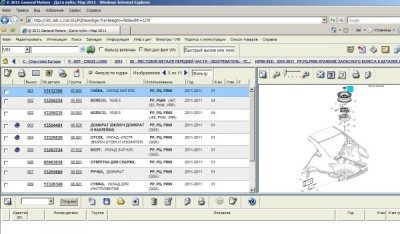
Electronic catalog, which includes a database of original numbers of parts for Chevrolet vehicles manufactured for European buyers. Internet Explorer is used to working directory, in other browsers it is unfortunately not working. The program of Chevrolet Europe EPC 06/2012 You can see the location of the parts required to visual images, as well as find the original part number through an easy search.
Installation
1. Install GMGInfrastructure \ GMGInfrastructure.msi (Standartalone)
2. Set GMCEApplication \ GMCEAPPLICATION.msi
3. Set GMGLocalDB \ GMGLocalDB.msi
4. Set GMCERomDB \ GMCERomDB.msi
5. Open the Start menu-run cmd.exe
Before performing teams need to go to the root of drive C: by typing cd C: \ and then perform alternately three commands:
For Windows XP, Windows 7 x32
SET PATH = "C: \ Program Files \ Snap-on Business Solutions \ Global EPC \ GM \ jre1.6.0_02 \ bin";% PATH%
cd "C: \ Program Files \ Snap-on Business Solutions \ Global EPC \ GM \ Configurator"
java -jar Configurator.jar
For Windows 7 x64
SET PATH = "C: \ Program Files (x86) \ Snap-on Business Solutions \ Global EPC \ GM \ jre1.6.0_02 \ bin";% PATH%
cd "C: \ Program Files (x86) \ Snap-on Business Solutions \ Global EPC \ GM \ Configurator"
java -jar Configurator.jar
6. Reboot your computer
7. Open IE and enter the address of the code:
Hidden text. You need to log in or register.
You can't view this text.
Hidden text. You need to log in or register.
You can't view this text.
or
Hidden text. You need to log in or register.
You can't view this text.
Hidden text. You need to log in or register.
You can't view this text.