

- Reputation
- 40
- Reputation
- 40
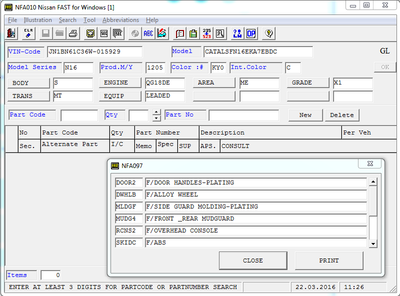
Electronic catalog of spare parts for Nissan and Infiniti vehicles. Program Nissan & Infiniti Fast 01/2017 for determining the original part number (part number). You enter the VIN code of the car - the program of its "trial", which offers you the choice of only those parts that are installed on your car.
Regions of Nissan: CA, EL, ER, GL, GR, US
Regions of Infiniti: CA, EL, ER, US
Year / Date of Issue: 01/2017
Version: 5.01
Language: English
Installation:
1. Mount images of disks through Daemon Tools.
2. We go in one mounted image in the folder \FASTPRG\WIN2000\SETUP\, run Setup.exe and specify the installation path. From the second image, this operation is no longer necessary.
3. If you want to use the directory without permanently mounting these images, then copy the contents of both images into 2 separate folders on the hard drive. (You can in the program directory or wherever you are comfortable)
4. Next, go to the folder C: \ NISSAN and run the file Nfset.exe.
5. After startup, click on the CD-ROM SETUP tab and specify the path to our folders.
6. Folders choose the main (below there is a screenshot) - NISSAN and INFINITY (If you want to have all regions)
7. Run the Nissan Fast and use it.
Hidden text. You need to log in or register.
You can't view this text.