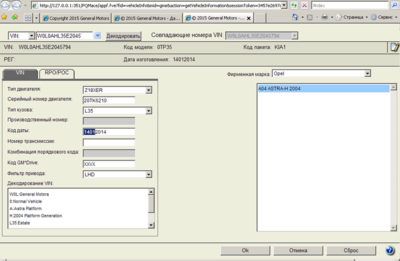
Opel EPC 4.25 (10/2014)

Johnny

Moderator
Staff member
Reputation
38
Reputation
38
opel-epc.png


spare parts and accessories catalog for cars, jeeps and minibuses of firm Opel.

Year / Release Date: 2014
Version: 4.25
Developer: Snap-on Business Solutions, Inc
Language: Multilingual

Installation
1. Mount the image
2. Install GMGInfrastructure \ GMGInfrastructure.msi (Standartalone)
3. Install GMEApplication \ GMEApplication.msi
4. Install GMGLocalDB \ GMGLocalDB.msi
5. Install GMERomDB \ GMERomDB.msi
6. Open the Start menu-run cmd.exe
">7. Go to the root of drive C: by typing "cd \" without the quotes but with a space between cd and \ string takes the form C: \>
8. Run alternately three commands:
SET PATH = "C: \ Program Files \ Snap-on Business Solutions \ Global EPC \ GM \ jre1.6.0_02 \ bin";% PATH%
cd "C: \ Program Files \ Snap-on Business Solutions \ Global EPC \ GM \ Configurator"
java -jar Configurator.jar
9. Restarting the computer
10. Open IE and enter the address of the code:
Hidden text. You need to log in or register.
You can't view this text.
or
Hidden text. You need to log in or register.
You can't view this text.
(all different)

Hidden text. You need to log in or register.
You can't view this text.


spare parts and accessories catalog for cars, jeeps and minibuses of firm Opel.

Year / Release Date: 2014
Version: 4.25
Developer: Snap-on Business Solutions, Inc
Language: Multilingual

Installation
1. Mount the image
2. Install GMGInfrastructure \ GMGInfrastructure.msi (Standartalone)
3. Install GMEApplication \ GMEApplication.msi
4. Install GMGLocalDB \ GMGLocalDB.msi
5. Install GMERomDB \ GMERomDB.msi
6. Open the Start menu-run cmd.exe
">7. Go to the root of drive C: by typing "cd \" without the quotes but with a space between cd and \ string takes the form C: \>
8. Run alternately three commands:
SET PATH = "C: \ Program Files \ Snap-on Business Solutions \ Global EPC \ GM \ jre1.6.0_02 \ bin";% PATH%
cd "C: \ Program Files \ Snap-on Business Solutions \ Global EPC \ GM \ Configurator"
java -jar Configurator.jar
9. Restarting the computer
10. Open IE and enter the address of the code:
Hidden text. You need to log in or register.
You can't view this text.
or
Hidden text. You need to log in or register.
You can't view this text.
(all different)

***Hidden text***​
Thanks!!!
 
[PŘIDAT]207[/PŘIDAT]​


katalog náhradních dílů a příslušenství pro automobily, džípy a minibusy firmy Opel.

Rok / Datum vydání: 2014
Verze: 4.25
Vývojář: Snap-on Business Solutions, Inc
Jazyk: Vícejazyčný

Instalace
1. Připojte obraz
2. Nainstalujte GMGInfrastructure \ GMGInfrastructure.msi (Standartalone)
3. Nainstalujte GMEApplication \ GMEApplication.msi
4. Nainstalujte GMGLocalDB \ GMGLocalDB.msi
5. Nainstalujte GMERomDB \ GMERomDB.msi
6. Otevřete nabídku Start-spusťte cmd.exe
">7. Přejděte do kořenového adresáře jednotky C: zadáním "cd \" bez uvozovek, ale s mezerou mezi cd a \ string má tvar C: \>
8. Spusťte střídavě tři příkazy:
SET PATH = "C: \ Program Files \ Snap-on Business Solutions \ Global EPC \ GM \ jre1.6.0_02 \ bin";% PATH%
cd "C: \ Program Files \ Snap-on Business Solutions \ Global EPC \ GM \ Configurator"
java -jar Configurator.jar
9. Restartování počítače
10. Otevřete IE a zadejte adresu kódu:
Hidden text. You need to log in or register.
You can't view this text.
nebo
Hidden text. You need to log in or register.
You can't view this text.
(vše jiné)

***Skrytý text***​
[/citát]
 
Back
Top